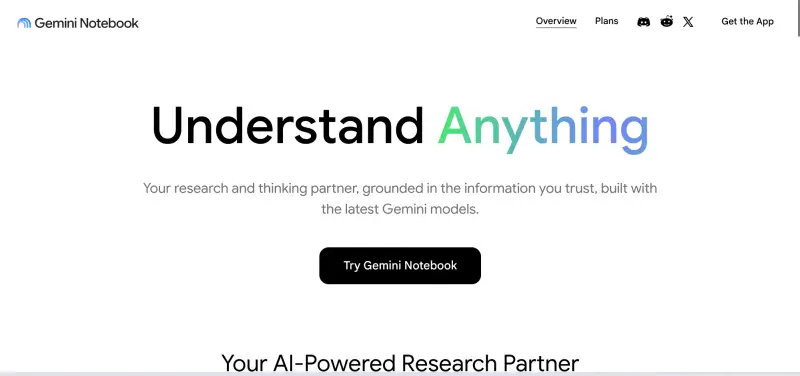
Quick answer: On 16 July 2026 Google renamed NotebookLM to Gemini Notebook. The name and logo changed; existing notebooks did not. The bigger story is the secure cloud computer, which lets each notebook write and run Python code against your sources for genuine data analysis. Google states that Gemini Notebook does not train its models on your uploaded data, but the practical protections still differ by account type. Check your licence tier, Admin Console settings and data boundary before wider rollout.
Rebrands generate headlines. What matters for a school or business is smaller and more useful: what the tool can now do, what its limits are, and what data it is safe to put into it. This guide covers all three.
Treat the rebrand as a prompt to review your settings, not a reason to change tools. If NotebookLM was approved in your organisation, that approval carries over, but the new code-execution feature is a genuine change in capability and deserves its own quick review.
What changed on 16 July 2026?
Google renamed NotebookLM to Gemini Notebook, bringing its source-grounded research assistant under the main Gemini brand. Google says the tool now serves more than 30 million people and over 600,000 organisations. It remains a standalone app, with notebooks syncing between Gemini Notebook and the Gemini app, and Google has said it plans to bring notebooks into AI Mode in Search.
The product itself has a short history worth knowing. It started as Project Tailwind at Google I/O in 2023, an experiment in reducing hallucinations by restricting the model to files the user uploads. It launched publicly as NotebookLM, gained mainstream attention in 2024 when Audio Overviews turned sources into a two-host synthetic podcast, and in June 2026 gained a secure cloud-based computer in every notebook.
Alongside the rebrand, Google is extending that cloud computer beyond its initial audience. It launched for Google AI Ultra subscribers and Workspace business customers on AI Ultra or AI Expanded Access, and is rolling out to AI Pro users on the web over the coming weeks. Google has renamed its AI tiers several times in the past year, so confirm the current names in your Admin Console or billing page before acting on any guide, including this one.
What does the secure cloud computer actually do?
Language models are poor at arithmetic. They predict text, so when earlier versions of NotebookLM read a spreadsheet or a financial table, totals and calculations came from linguistic probability rather than maths. That is why AI summaries of quantitative documents so often contained confident, wrong numbers.
The secure cloud computer changes the mechanism. When you ask a quantitative question, Gemini Notebook writes Python code and runs it inside an isolated container, using standard analysis libraries to sort data, check calculations and produce charts, spreadsheets and other outputs. The number you get back comes from executed code, not prediction.
Executed code reduces calculation errors. It does not remove the need for checking. The model still decides which columns to read, how to interpret headings and what the question means, and it can get those decisions wrong while producing perfectly calculated answers to the wrong question. Keep human review in the workflow.
What are the practical limits?
Source size
Each source is capped at 500,000 words, or 200 MB for uploaded files. If a document exceeds the limit, the file may still appear in your source list while the model silently ignores the content beyond the cap. Split long documents before uploading rather than trusting that the whole file was read.
Extraction tools behave differently
In AHAI testing, the quick Data Table output is fast but shallow, and can miss detail in complex files. The Reports option takes longer, extracts more thoroughly and can export to Google Sheets. For anything that feeds a decision, use the slower tool and check the output against the source.
Chat history and organisation
Chat within a notebook is not a permanent record. If you want to keep a useful answer, pin it as a note inside the notebook before closing the session. There is also no folder structure or tagging for notebooks, so agree a naming convention with your team before the library grows.
Google changes this product quickly, and features can differ between the web app, the mobile app and the Gemini app integration. Before writing any limit into policy or training material, reproduce it yourself on your own account type.
Does Google train on what you upload?
This is the question most organisations actually care about, and it is often answered wrongly. Google's stated position is clear: Gemini Notebook does not use your uploaded sources, chats or generated outputs to train its foundational AI models. That applies across account types, not only to paid tiers.
There is one exception, and it works as an opt-in, not an opt-out. If a user sends feedback, such as a thumbs up or thumbs down, Google collects the associated content, including prompts, sources and outputs, and trained staff may review it to diagnose the issue. Tell staff plainly: do not use the feedback buttons in a notebook that contains anything confidential.
What genuinely differs by account type is the contractual and review position, not the training position.
| Account type | Position to check |
|---|---|
| Personal Google account (free or paid AI plan) | No training on uploads, but consumer terms apply and there is no organisational agreement. Not appropriate for client or pupil data. |
| Managed Google Workspace account | Gemini Notebook is a core Workspace service covered by your Workspace agreement and the Cloud Data Processing Addendum, with no human review of content. Confirm it is enabled and configured for the right groups. |
| Workspace for Education account | A core service with enterprise-grade data protections. Access is off by default for new primary and secondary customers, so pupil access is a deliberate local decision, not an accident. |
One boundary catches people out: notebooks now sync with the Gemini app, and chats held in the consumer Gemini app are governed by Gemini Apps activity settings, which are different terms. Talking to your notebook through a personal Gemini app is not the same privacy position as working inside a managed Workspace notebook.
The David Greene voice case: why it matters
Synthetic audio is the feature most likely to leave your organisation's walls, so its legal context is worth knowing. On 23 January 2026, David Greene, the former host of NPR's Morning Edition, filed a lawsuit against Google in Santa Clara County Superior Court. He alleges that the male voice in Audio Overviews imitates his cadence and delivery without consent, citing a voice analysis that reported 53% to 60% confidence that his recordings were used in training.
Google has called the allegations baseless and says the voice is based on a paid professional actor it hired. The case has not been decided, and nothing here is legal comment on its merits. The practical point for UK organisations is simpler: if you publish Audio Overviews externally, note that synthetic-voice rights are actively contested, and keep generated audio for internal use until your own review says otherwise.
What should business leads check?
Before staff use Gemini Notebook for routine work, set the data boundary first and pilot second.
Admin audit
Confirm account types, licence tiers and whether the service is enabled, and for whom.
Group pilot
Test with non-sensitive material: templates, published reports, marketing guides.
Review
Check outputs, access controls and the feedback-button rule before wider rollout.
Do not upload active client records, unreleased financials or anything restricted by a client contract until your DPO or data-protection lead has approved the specific use case on your specific account type. Start with repeatable, low-risk workflows and measure whether the analysis output is actually accurate against a known answer.
Your IT lead and data-protection lead decide which teams get access, which data classes are permitted and how generated spreadsheets and reports are checked before they inform a decision.
What should school leaders check?
For schools, the rebrand changes the name on the tile, not the safeguarding questions.
Gemini Notebook's safety filters are conservative. Sources containing historical accounts of violence, detailed medical content or mature literary themes can be blocked from summarisation even in legitimate academic use. Test your actual curriculum materials before promising staff a workflow.
Use Gemini Notebook for staff-side work first: drafting lesson outlines from your own materials, simplifying vocabulary, building practice questions from a scheme of work. Every output gets teacher review before it reaches pupils, and the workflow should be tested by staff before any pupil-facing use is considered.
Your DPO, safeguarding lead and SLT own one absolute rule: identifiable pupil records, SEND documentation and safeguarding information do not go into Gemini Notebook unless a specific, documented use case has been approved. This rule does not relax with a higher licence tier.
Frequently asked questions
Does Gemini Notebook use our organisation's data to train its models?
No. Google states that uploaded sources, chats and generated outputs are not used to train its foundational AI models, on any account type. The exception is user feedback: sending a thumbs up or thumbs down allows Google to collect and review the associated content. Managed Workspace and Workspace for Education accounts add contractual protections and exclude human review of your content. The sensible rule remains the same: match the data you upload to the account type and agreement you actually have.
How do I check whether Gemini Notebook is enabled in our Google Admin Console?
Sign in as an administrator, then go to:
Check whether the service is on for everyone, off, or restricted by organisational unit. Schools can enable it for staff organisational units while keeping pupil accounts off until safeguarding and data-protection reviews are complete. Google moves these settings around periodically, so verify the current location rather than relying on a remembered path.
Ready to set the boundary before the rollout?
Put the rules in writing before staff build habits. Both templates below are free, and both are starting points to review against your own contracts, data-protection arrangements and Workspace configuration.